ไม่มีขั้นตอนสมัครสมาชิกหรือคำอธิบายยืดยาว
เครื่องมือสำหรับชีวิตในไทย
คิดเรื่องยาก
ให้จบในหน้านี้
เงินเดือน ภาษี หนี้ ค่าเดินทาง และค่าใช้จ่ายประจำวัน คำนวณเป็นเงินบาท เข้าใจง่าย และไม่ส่งข้อมูลออกจากเครื่องของคุณ
เลือกเครื่องมือ ↓ตัวอย่างเงินคงเหลือ฿ 24,860เห็นผลทันทีเมื่อกรอกตัวเลข
฿หน่วยไทย
บาท · ปี พ.ศ.
บาท · ปี พ.ศ.
✓ข้อมูลอยู่ในเครื่อง
ไม่มีการอัปโหลด
ไม่มีการอัปโหลด
อัปเดตล่าสุด · 10 ตุลาคม 2569
เรื่องที่ต้องรู้ตอนนี้
สรุปจากแหล่งทางการ พร้อมขั้นตอนที่ทำต่อได้ทันที
 โอนเงินผิดบัญชี · ขั้นตอนจากแหล่งทางการโอนผิดต้องทำอย่างไร ดึงคืนได้ไหม?ติดต่อธนาคาร · เตรียมหลักฐาน · ระวังเงินเข้าจากคนไม่รู้จักดูขั้นตอนและข้อยกเว้น →
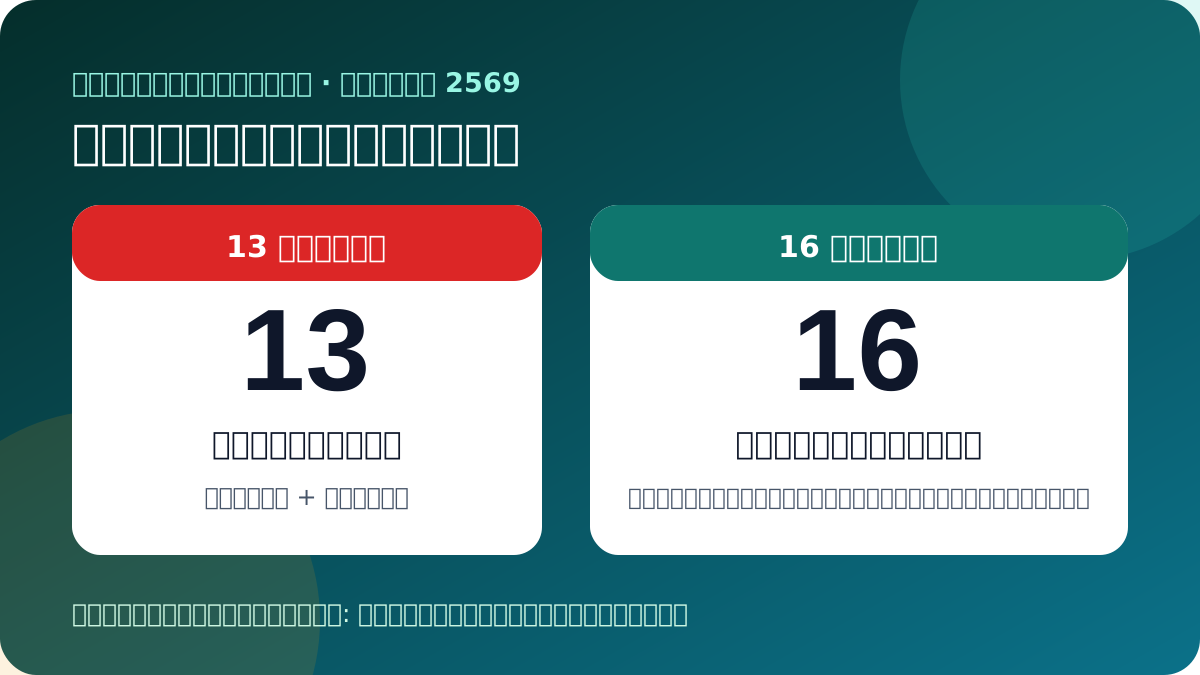 วันหยุด 13–16 ตุลาคม · เช็กก่อนเดินทางวันไหนหยุดทั่วประเทศ วันไหนเฉพาะกรุงเทพฯ?ธนาคาร · ราชการ · เอกชน · ออนไลน์เช็กให้ชัด →
 ราคาทองวันนี้ · เช็กก่อนซื้อขายทองแท่ง 66,300 บาท: ซื้อ–ขายดูราคาไหน?แยกราคารับซื้อและขายออก · ทองแท่ง/ทองรูปพรรณ · ยืนยันเวลาก่อนเข้าร้านดูราคาและวิธีเทียบ →
 เดินทาง · จองผ่าน SRT D-Ticketจองตั๋วรถไฟออนไลน์ รับตั๋วที่ไหน ต้องพิมพ์ไหม?5 ขั้นตอน · วิธีเก็บตั๋ว · ทางแก้เมื่อจ่ายแล้วไม่พบรายการจองและเก็บตั๋วให้พร้อม →
 เริ่มคุ้มครอง 1 ต.ค. 2569 · น้ำท่วม วาตภัย แผ่นดินไหวประกันภัยพิบัติแห่งชาติ ใครคุ้มครอง ได้เท่าไหร่?น้ำท่วมเบื้องต้น 10,000 บาท · รวมสูงสุด 100,000 บาท · 4 ช่องทางเคลมเช็กสิทธิ วงเงิน และวิธีเคลม →
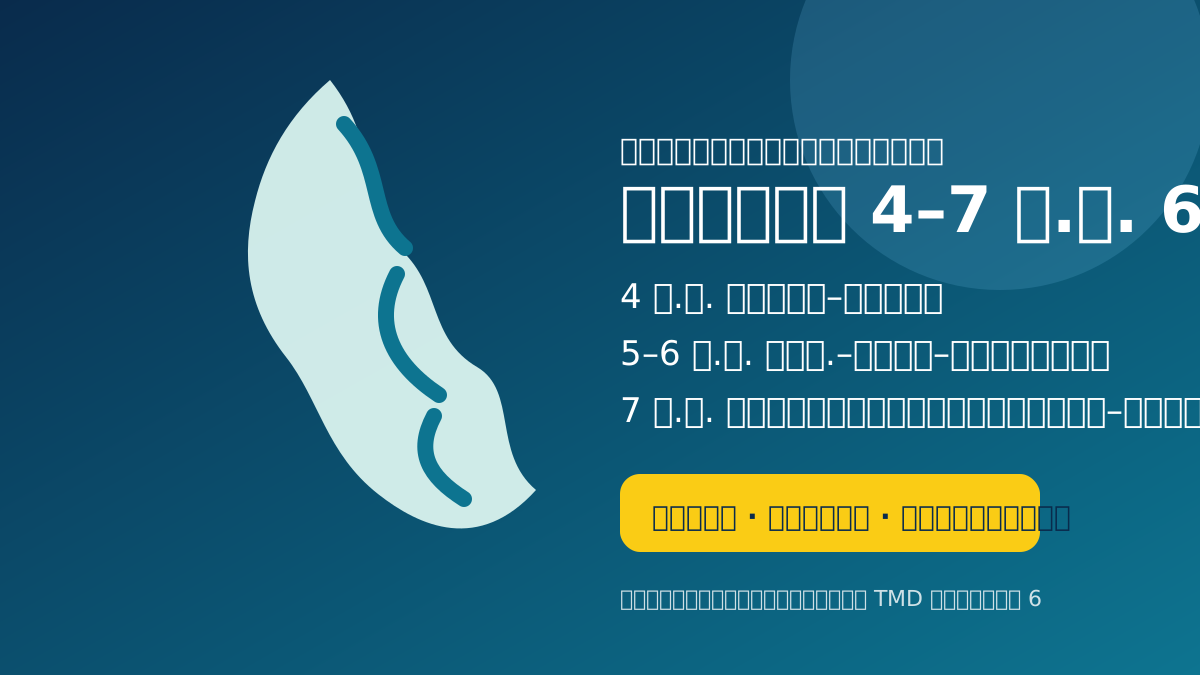 ฝนหนัก 4–7 ต.ค. · คำเตือน TMD ฉบับที่ 6จังหวัดไหนเสี่ยงวันไหน? กรุงเทพจับตา 5–6 ต.ค.เช็กก่อนออก · เลี่ยงจุดต่ำ · ทางรับมือเมื่อน้ำเริ่มขึ้นดูวัน พื้นที่ และทางรอด →
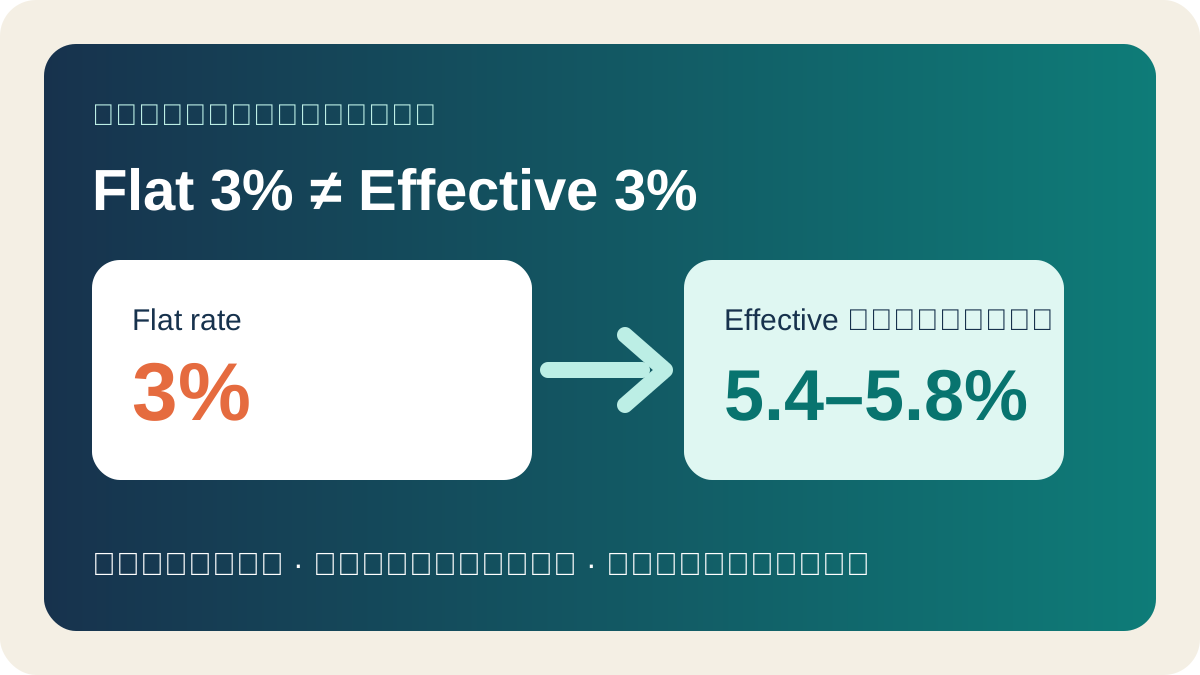 ค่างวดรถ · เทียบใบเสนอFlat 3% เท่ากับ Effective เท่าไหร่?รถ 600,000 บาท · ค่างวด 9,200 บาท · เช็กยอดจ่ายรวมก่อนเซ็นดูสูตรและเปิดเครื่องคำนวณ →
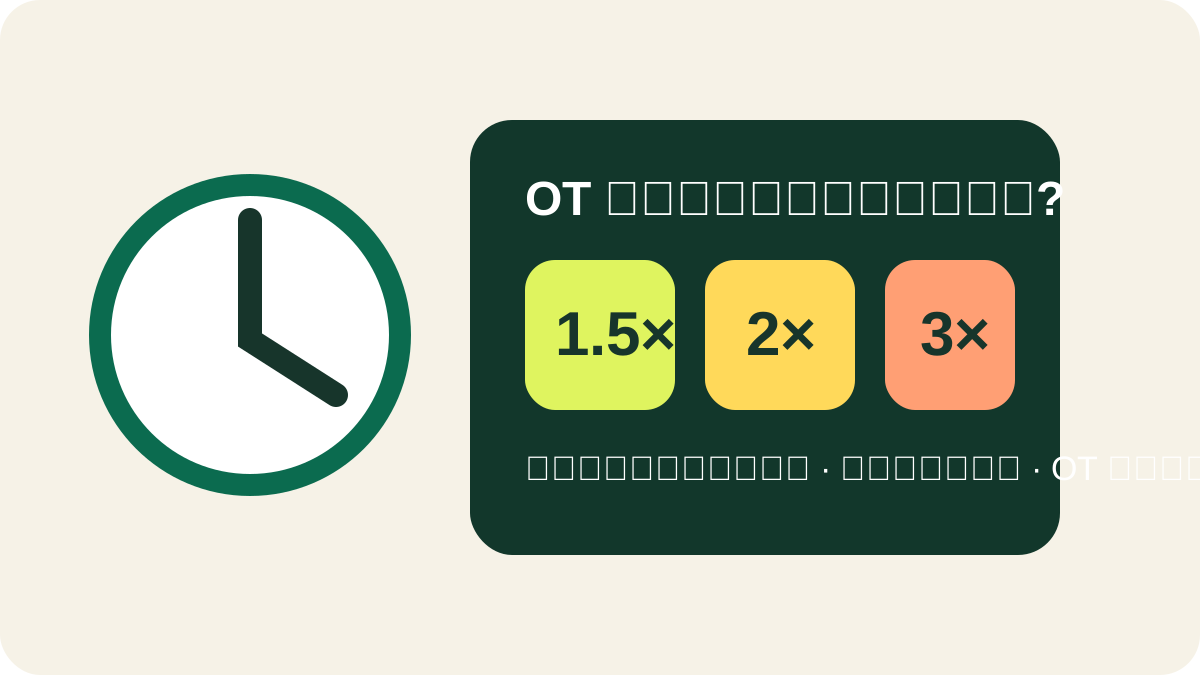 คำนวณโอที · ตรวจสลิปรายวัน–รายเดือน ใช้ 1.5, 2 หรือ 3 เท่า?แยกวันทำงาน วันหยุด และ OT วันหยุด พร้อมตัวอย่างคำนวณจริงดูสูตรและเปิดเครื่องคำนวณ →
 เบี้ยผู้สูงอายุปี 2570 · เริ่มปีงบประมาณใหม่ได้เดือนละเท่าไหร่ พลาดลงทะเบียนต้องทำอย่างไร?600–1,000 บาทตามอายุ · แยกทางเลือกสำหรับยืนยันแล้ว พลาดกำหนด และย้ายทะเบียนบ้านเช็กสิทธิ เอกสาร และทางแก้ →
 ภาษีที่ดิน 2569 · ชำระช้าเลยกำหนดแล้ว ต้องจ่ายที่ไหนและเสียเท่าไร?เช็กใบประเมิน ติดต่อท้องถิ่น และขอยอดรวมพร้อมเบี้ยปรับก่อนชำระดูขั้นตอนและอัตราเบี้ยปรับ →
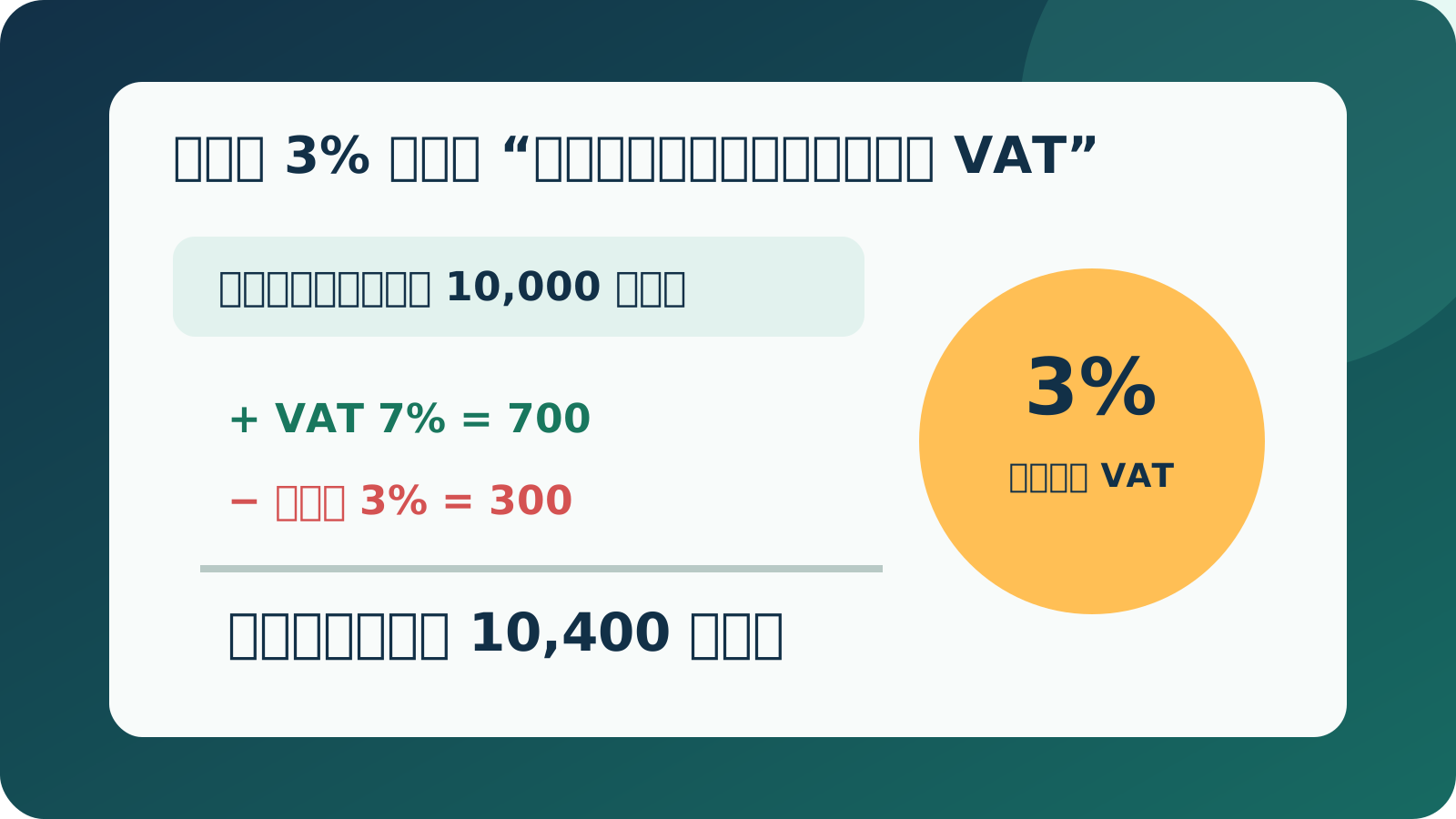 VAT + หัก ณ ที่จ่าย · ฟรีแลนซ์และ SMEหัก 3% คิดก่อน VAT หรือหลัง VAT?ค่าบริการ 10,000 · VAT 700 · หัก 300 · โอนจริง 10,400 บาทดูสูตรและเปิดเครื่องคำนวณ →
 ธนาคารกรุงเทพ · บัวหลวง ไอแบงก์กิ้งปิด 15 ธ.ค. 2569 ต้องย้ายอะไรบ้าง?รายการล่วงหน้าหยุด 1 พ.ย. · เช็กสิ่งที่ต้องตั้งใหม่ · หักบัญชีอัตโนมัติยังอยู่เปิดเช็กลิสต์ก่อนเส้นตาย →
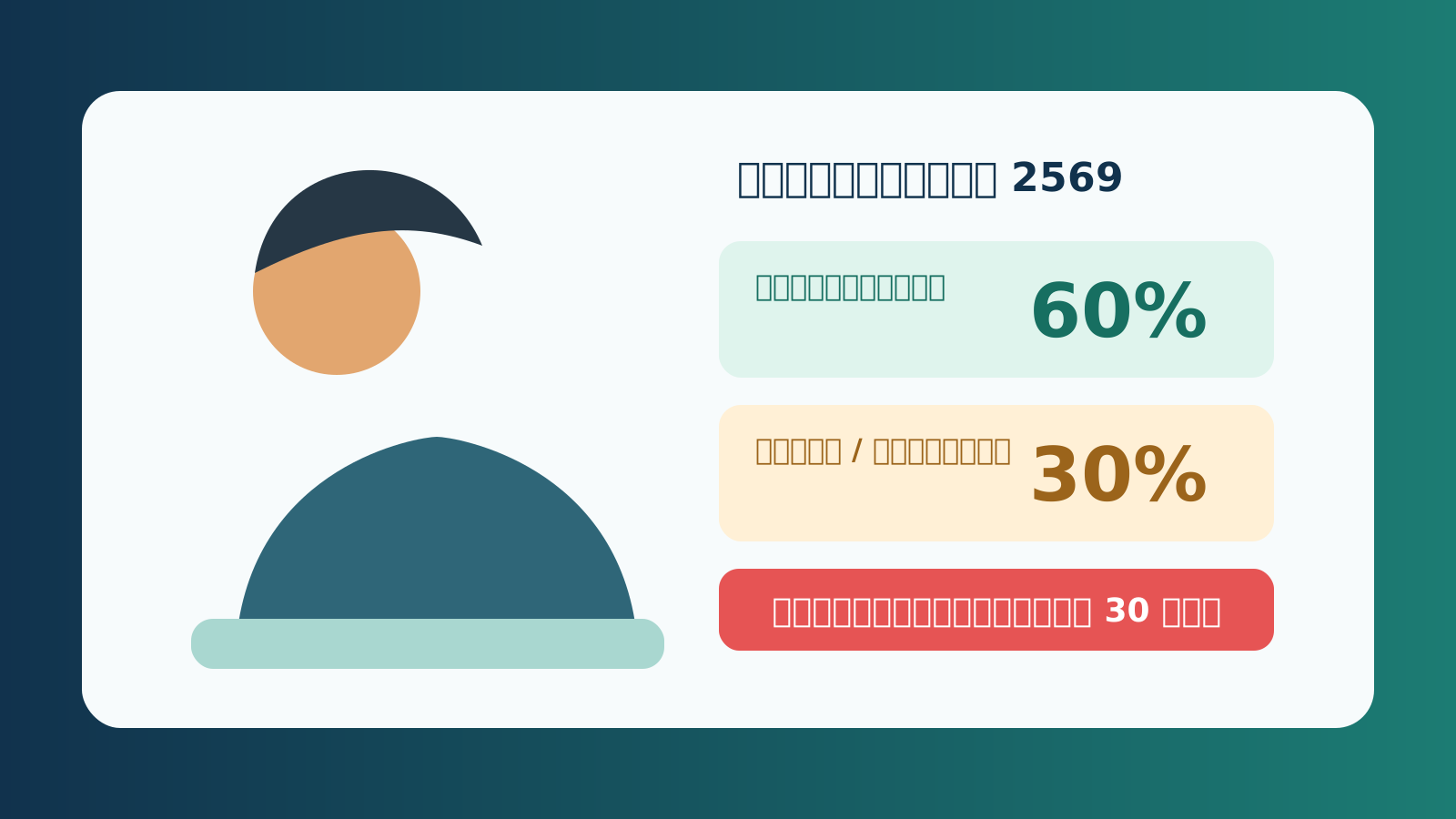 เงินว่างงานประกันสังคม 2569 · สิทธิแรงงานเลิกจ้าง–ลาออก ได้เท่าไหร่ ต้องขึ้นทะเบียนเมื่อไร?60% สูงสุด 10,500 บาท · 30% สูงสุด 5,250 บาท · ภายใน 30 วันดูยอด เงื่อนไข และขั้นตอน →
 บัตรประชาชนหมดอายุ · เช็กลิสต์ก่อนเดินทางต่อที่ไหน ใช้อะไร เสียเงินไหม?ทำล่วงหน้า 60 วัน · ใช้บัตรเดิม · หมดอายุปกติไม่มีค่าธรรมเนียมดูสถานที่ เอกสาร และทางแก้ →
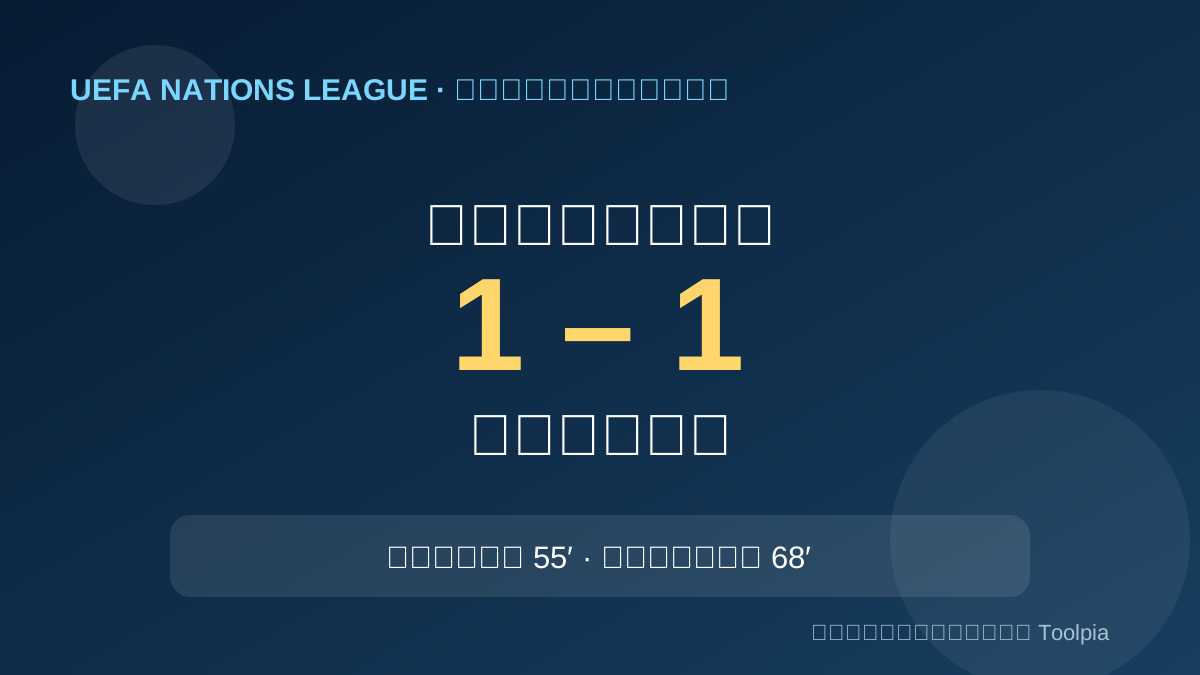 ผลบอลเนชันส์ลีก · ฝรั่งเศส–อิตาลีจบ 1-1 ใครยิง และนัดต่อไปกี่โมง?โอลิเซ 55′ · บาสโตนี 68′ · ฝรั่งเศส–เบลเยียม 6 ต.ค. 01.45 น.ดูผลและตั้งเตือนนัดต่อไป →
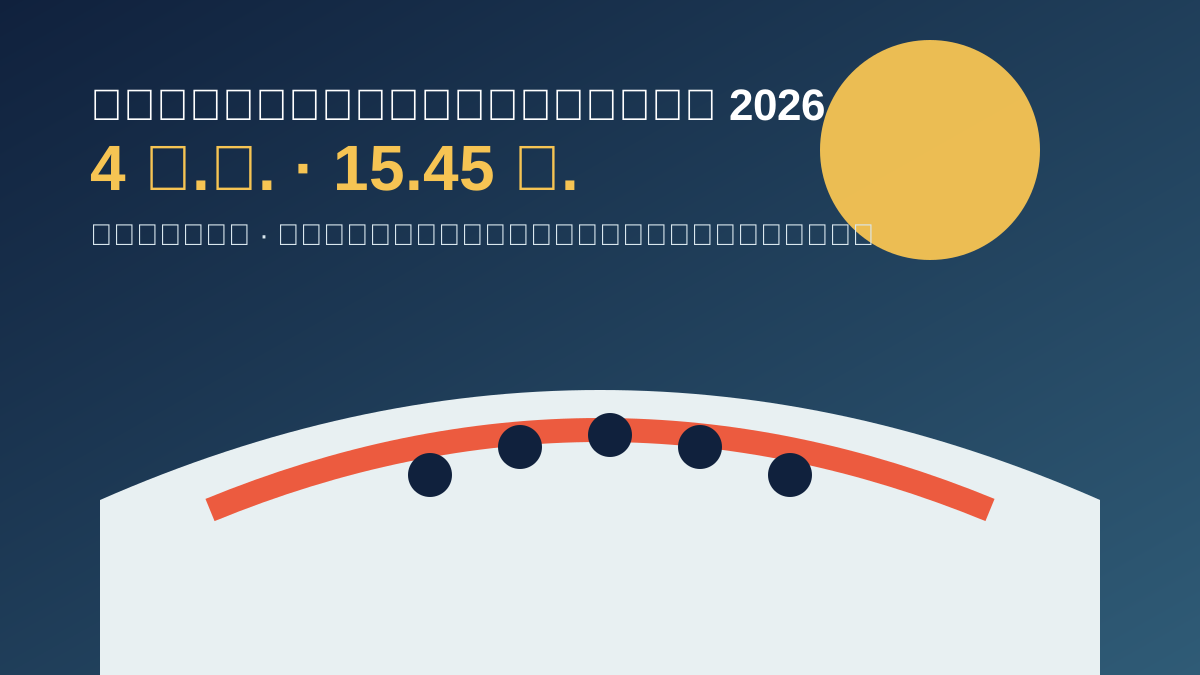 พิธีปิดเอเชียนเกมส์ 2026 · 4 ต.ค.ถ่ายทอดกี่โมง ดูฟรีช่องไหน?ถ่ายทอด 15.45 น. · พิธี 16.00 น. · NBT · PPTV · T Sports 7 · AIS PLAYดูเวลาและช่องทาง →
 ภาษี 2569 · ประกาศใหม่ 2 ต.ค.ค่าลดหย่อนมีอะไรบ้าง? เช็กฟรีก่อนซื้อเพิ่มประกันสังคม 10,500 บาท · Solar Rooftop สูงสุด 200,000 บาทเปิดเช็กลิสต์และหลักฐาน →
 เงินอุดหนุนเด็กแรกเกิด · รอบตุลาคม 2569600 บาทเข้าวันไหน ถ้าไม่เข้าต้องทำอย่างไร?9 ต.ค. · เช็กสถานะทางรัฐ · วิธีแก้รหัส E01–E20ดูวันจ่ายและทางแก้ →
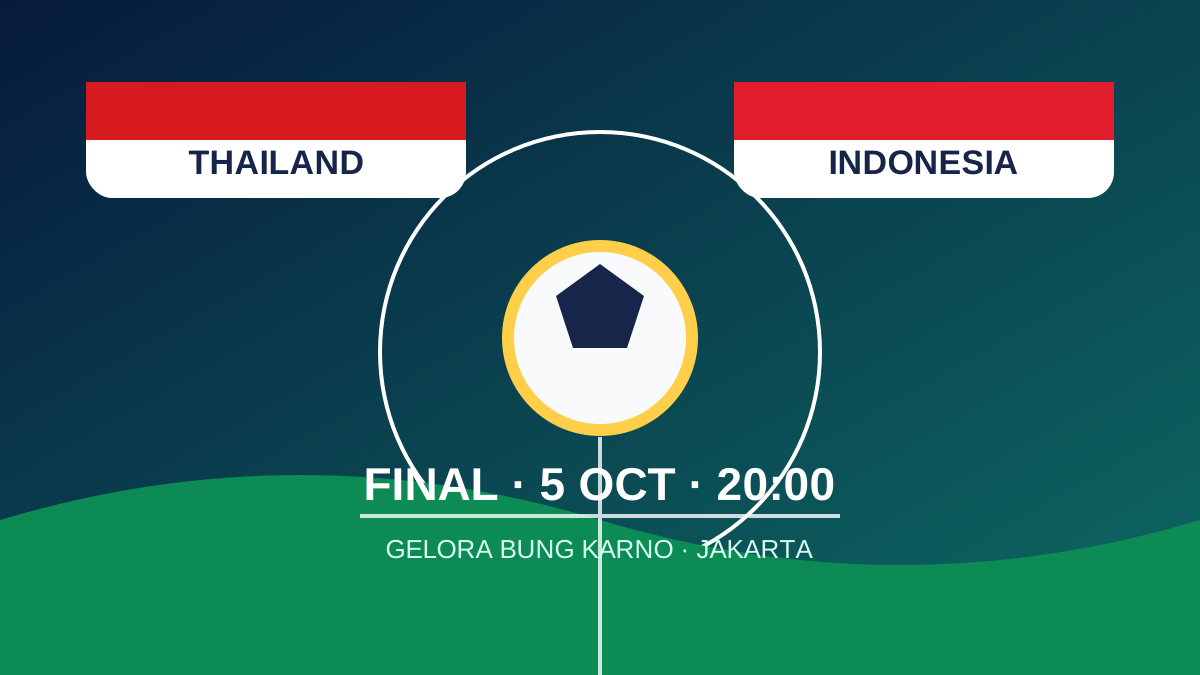 ทีมชาติไทย · รอบชิง FIFA ASEAN Cup 2026ไทย พบ อินโดนีเซีย วันไหน กี่โมง ดูช่องไหน?5 ต.ค. · 20.00 น. · เกโลรา บุง การ์โน · ตรวจ FIFA+ และ DAZNดูโปรแกรมและวิธีเช็กช่องทาง →
 รถและเอกสาร · เกณฑ์ใหม่ปี 2569ต่อใบขับขี่ใช้อะไรบ้าง ต้องทดสอบอะไร?เอกสาร 3 อย่าง · รถยนต์ 505 บาท · มอเตอร์ไซค์ 255 บาทเช็กตามอายุและวันหมดอายุ →
 ChatGPT · ระบบล็อกอินกลับมาแล้วยังเข้าไม่ได้? เช็กสถานะและแก้ตามลำดับเหตุ 1 ต.ค. แก้แล้ว · เข้าใช้ฟรี · วิธีแยกปัญหาระบบกับบัญชีเปิดคำตอบและลิงก์ทางการ →
 รับปริญญาจุฬาฯ · 2 ต.ค. วันสุดท้ายเช็กบัตร รอบคณะ และฝนก่อนออกพิธี 30 ก.ย.–2 ต.ค. · ไม่มีเวลาเดียวทุกคณะ · เปิดระบบ CCRดูเช็กลิสต์วันนี้ →
 ผลบอลเนชันส์ลีก · โปรตุเกสชนะ 3 นัดรวดเดนมาร์ก 2-4 โปรตุเกส ใครยิง นัดต่อไปกี่โมง?คนยิงครบ · โปรตุเกส–นอร์เวย์ · 5 ต.ค. 01.45 น. · MONOMAXดูผลและตั้งเตือนนัดหน้า →
 ลูกเห็บตกกรุงเทพ · คำเตือนและวิธีรับมือทำไมเกิดต้นตุลาคม และต้องทำอะไรทันที?แยกเหตุจริงจากพยากรณ์ · บ้าน · กลางแจ้ง · ขับรถ · สายด่วน 1784ดูคำตอบและทางรอด →
 ตรวจหวย 1 ตุลาคม 2569 · ผลทางการรางวัลที่ 1 คือ 402701 เลขท้าย 2 ตัว 70เลข 3 ตัว · เงินสุทธิหลังอากร · วิธีขึ้นรางวัลอย่างปลอดภัยตรวจผลและวิธีรับเงิน →
 ประกันสังคม ม.33 · เงินเดือน 2569ทำไมถูกหักสูงสุด 875 บาท?กรอกเงินเดือน · เช็กสูตร 5% · เทียบสลิป · เปิดประวัตินำส่งคำนวณยอดของคุณ →
 กองทุนสงเคราะห์ลูกจ้าง · เริ่มวันนี้ใครถูกหัก 0.25% และได้เงินคืนเมื่อไร?เช็กบริษัทเข้าข่าย · คำนวณยอดหัก · นายจ้างสมทบเท่ากันคำนวณยอดของคุณ →
 ไทยช่วยไทย พลัส · เริ่มวันนี้ใครมีสิทธิและรัฐช่วย 60/40 เท่าไร?ยืนยัน 1–15 ตุลาคม · ใช้ถึง 30 พฤศจิกายน · รัฐช่วยรวมไม่เกิน 1,000 บาทอ่านคำตอบ →
 บัตรสวัสดิการแห่งรัฐ 2569เช็กผลทบทวนสิทธิ ผ่านแล้วทำอะไรต่อ?5.01 ล้านรายยื่น · ผ่าน 1.75 ล้านราย · เช็กได้ 4 ช่องทางอ่านคำตอบ →
7 เครื่องมือที่ใช้ได้จริง
วันนี้ต้องคำนวณอะไร?
เลือกเครื่องมือแล้วกรอกเฉพาะตัวเลขที่คุณมี ผลลัพธ์จะอัปเดตทันที
OTใหม่ · ตรวจสลิปได้คำนวณโอที 1.5 / 2 / 3 เท่าแยกวันทำงาน วันหยุด และโอทีในวันหยุดเริ่มคำนวณ →
เงินอัปเดตปี 2569เงินเดือนสุทธิประมาณภาษีและประกันสังคม ม.33เริ่มคำนวณ →
ภาษีVAT + หัก ณ ที่จ่ายคำนวณได้ทั้งราคาก่อน VAT และยอดที่ต้องการรับจริงเริ่มคำนวณ →
ผ่อนค่างวดและดอกเบี้ยดู Flat rate พร้อม Effective rate โดยประมาณเริ่มคำนวณ →
เดินค่าเดินทางต่อเดือนเทียบรถส่วนตัวกับขนส่งสาธารณะเริ่มคำนวณ →
เหลืองบรายเดือนดูเงินเหลือ เป้าหมายออม และงบต่อวันเริ่มคำนวณ →
หารหารบิลร้านอาหารรวม Service charge, VAT และทิปโดยไม่คิดซ้ำเริ่มคำนวณ →
คู่มือที่เชื่อมกันเป็นชุด
เลือกตามเรื่องที่ต้องตัดสินใจ
เริ่มจากคำตอบหลัก แล้วไปต่อยังบทความหรือเครื่องมือที่ใช้ข้อมูลชุดเดียวกัน
สิทธิเงินเดือนและสิทธิแรงงานประกันสังคม · โอที · ว่างงาน · กองทุนลูกจ้างเริ่มตรวจสิทธิ →
ภาษีภาษีและรายรับสุทธิค่าลดหย่อน · VAT · หัก ณ ที่จ่าย · เงินเดือนสุทธิเริ่มเช็กตัวเลข →
หนี้หนี้ ค่างวด และงบเทียบ Flat/Effective · ยอดจ่ายรวม · งบที่รับไหวเริ่มเปรียบเทียบ →
วันวันหยุดและบริการสำคัญธนาคาร · ราชการ · เอกชน · สิ่งที่ยังทำออนไลน์ได้เริ่มวางแผน →
กฎที่เปลี่ยนได้ระบุวันที่ตรวจสอบและแหล่งทางการ
การคำนวณทั้งหมดเกิดขึ้นในเบราว์เซอร์ของคุณ
ตรวจสอบล่าสุด 26 กันยายน 2569
หลักเกณฑ์ที่ใช้
ภาษีเงินได้บุคคลธรรมดาอัตราก้าวหน้า ค่าใช้จ่ายเงินเดือน และค่าลดหย่อน — กรมสรรพากร ↗
VAT 7%พระราชกฤษฎีกาขยายเวลาถึง 30 กันยายน 2570 — กรมสรรพากร ↗
ประกันสังคม ม.33ฐานสูงสุด 17,500 บาท ตั้งแต่ 1 มกราคม 2569 — รัฐบาลไทย ↗
ดอกเบี้ย Flat / Effectiveหลักการเปรียบเทียบดอกเบี้ย — ธนาคารแห่งประเทศไทย ↗
ผลลัพธ์เป็นการประมาณเพื่อวางแผนเบื้องต้น ไม่ใช่คำแนะนำทางภาษี กฎหมาย หรือข้อเสนอสินเชื่อ ตรวจสอบเอกสารจริงกับหน่วยงานหรือผู้ให้บริการก่อนตัดสินใจ